
BlockP

How to Block Snapchat Search on BlockP?

20K+ reviews on blockp
How to Block Snapchat Search on BlockP

Table of Contents

To Block Snapchat Search on blockP, Follow these steps

Step 1: Go to Snapchat application, and click on Social Media Blocking
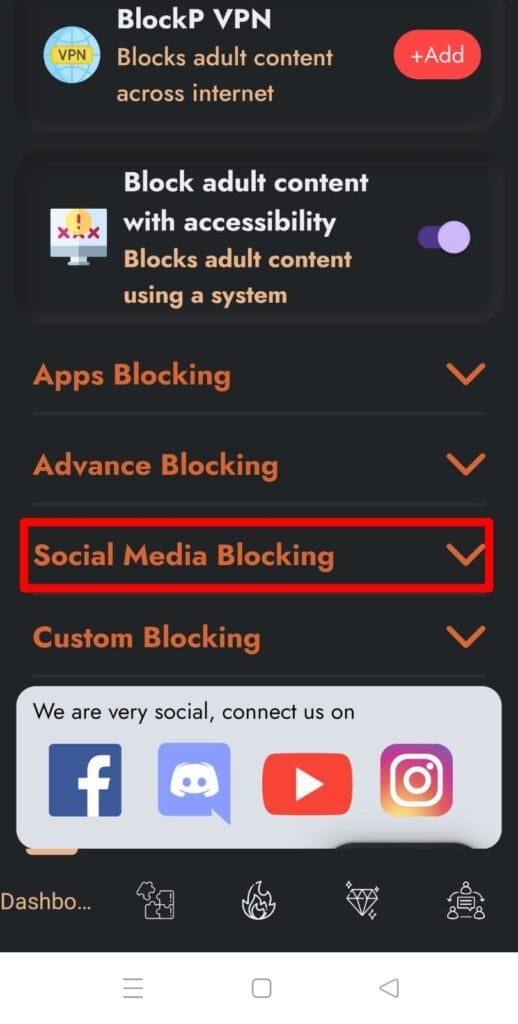
social media blocking

Step 2: Than Enable the “Block Snapchat Search” option
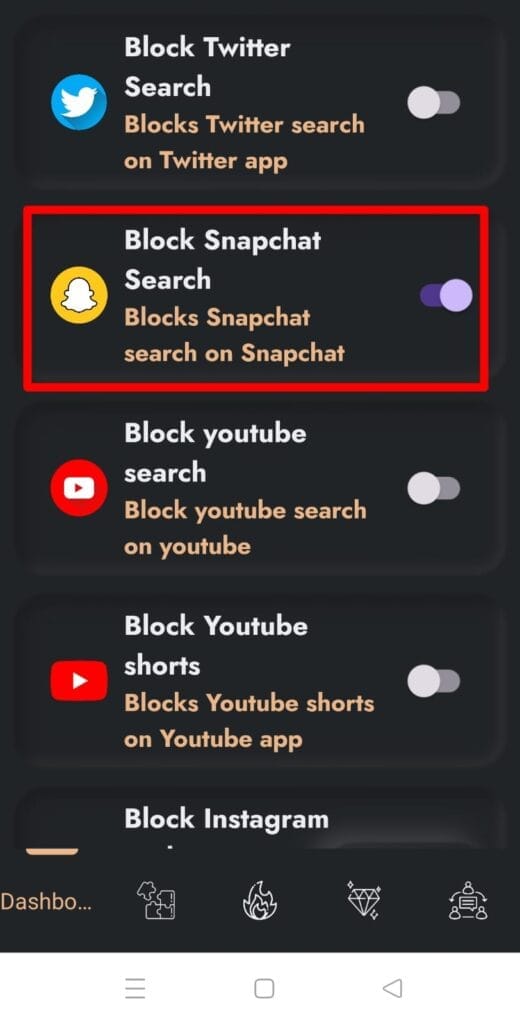
block snapchat search

Step 3: Then Enable BlockP by clicking on button as mentioned in below screenshot
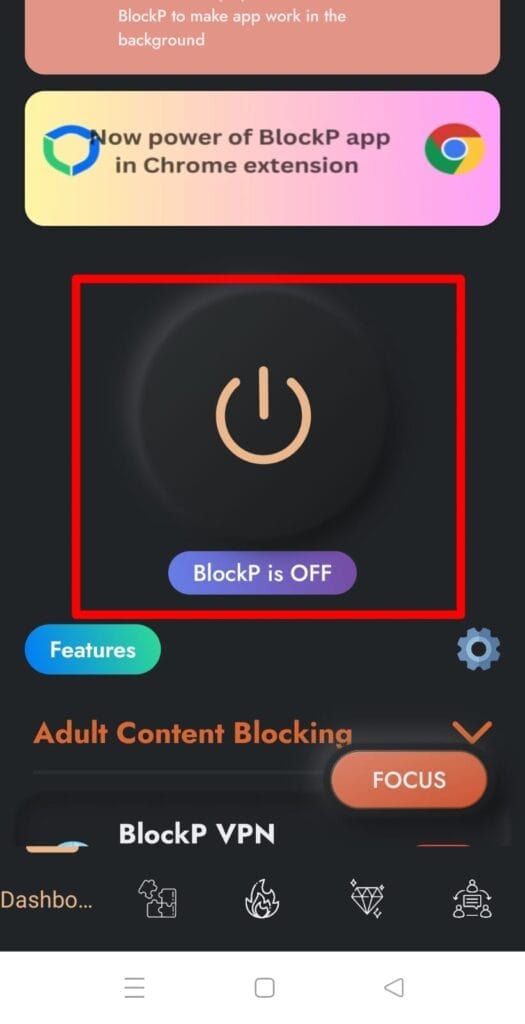
on blockp button

Open snapchat application and search for anything on snapchat, it will block you from searching on snapchat.

Written By:

Our content team is dedicated to producing high-quality, family-safe, and educational content that supports individuals, parents, and communities in overcoming porn addiction. With deep experience in mental health, digital wellness, and behavior change, our team creates practical and research-backed resources tailored especially for young people, teens, and adults seeking a healthier, more focused life.

Recent Blogs:

Is Watching Porn Once a Day Bad

For many of us, a question like “Is watching porn once a …

10 Best Porn Addiction Apps to Quit Porn & Stay Productive (Free & Paid)

Porn addiction apps are becoming more popular day by day. And this …

How to Block Porn on Android Permanently in 2026

How to block porn on Android? If you are looking for answers …

Does Gooning Lower Testosterone

Does gooning lower testosterone​? It might feel like a strange question if …

Leave a Comment

Your email address will not be published. Required fields are marked *

Scroll to Top